


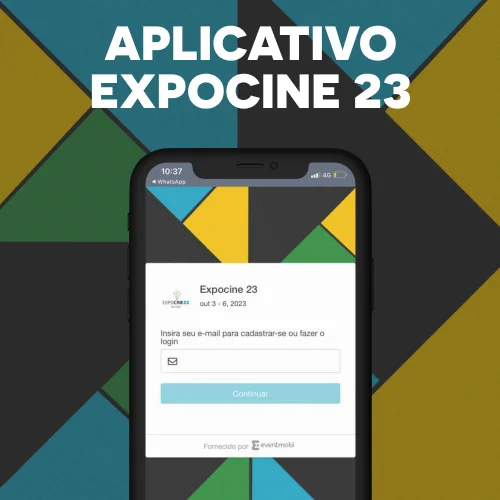
Expocine 23 is already coming and brings a special novelty to participants with Premium credentials!
The Expocine app comes to facilitate networking among participants, help organize the agenda, so that everyone can make the most of the event's programming, as well as strengthening the exhibiting and sponsoring brands.
Participant Login:
https://eventmobi.com/expocine
———————
With doubts? Check out our guide videos to register in the app:
STEP 1 How to download the Eventmobi App
https://www.youtube.com/watch?v=wfuqp7ToV0Q
STEP 2 Accessing the App through the website
https://www.youtube.com/watch?v=IcpH0QTK06Q
STEP 3 How to create registration
https://www.youtube.com/watch?v=IZxqkBj2Prk
STEP 4 How to edit the profile
https://www.youtube.com/watch?v=MlIGBrGLmh4
STEP 5 - Tab Guide
https://youtu.be/zl74PQ3cCO8?si=PfDsT5LnuFKq0Oxm
STEP 6 - How to save in my schedule
https://www.youtube.com/watch?v=cf7JjKMAePk
——————————–
OUR APPLICATIVE CAN BE ACCESSED IN 2 FORMS:
Downloading the app:
- Download the "EventMobi" app in your Apple or Android app store.
- After opening the "EventMobi" app, put the code: EXPOCINE
- Click "View Event" to register.
——————————–
Or use in your mobile browser:
- Go to the site: eventmobi.com/expocine
- Create your registration
——————————–
HOW TO CREATE MY CADAST IN EXPOCINE 23 APP?
The app is a feature for the premium credits of expocine, so to register use the same email you used to make the purchase of your premium credentials in sympla.
- Access the app home or website eventmobi.com/expocine
- Please enter your email and create your access password, after which you will receive a verification email
- Access your registered email and confirm your email to complete the registration
——————————–
HOW TO EDITORATE MY PROFILE IN EXPOCINE 23 APP?
- Click the top right icon and go to the "Edit Profile" option and fill your profile with your information
In your profile you can add/change:
- Name, last name, pronouns, contact email, profile photo.
- Add more details about you, such as: biography, social networking links and websites.
——————————–
WHAT ARE THE FUNCTIONALITIES OF THE EXPOCINE 23 APP?
- Event Agenda: access all the programming and create a custom agenda with the content you want to check
- Activity Feed: Share your moments at Expocine and interact with other participants who will participate in this edition
- Networking with Expocine 23 panelists: in the Panelists tab, you can contact the panelists
- Access the event maps and more...
——————————–
CAN I ACCESS EXPOCINE PROGRAMMING 23 IN THE APP?
Yes, even you can create a custom agenda by saving programming content and so they will appear on the homepage in the "See your saved events" area.
HOW TO CREATE A PERSONALIZED AGENDA IN THE APP?
- Go to the menu in the top left corner, select "Event Agenda" and then select the desired activity and click on the calendar item (signified in red in the first image below).
- To check your schedule, go to the app homepage and check out the "See your saved events" section.
——————————–
HOW TO DO QUESTIONS DURING THE PANELS AND PALESTERS ?
- Go to the "Event Agenda" tab.
- Locate the panel/officer
- Click on "Questions and Answers" in the upper right corner
- Ask your question and send
 Written by: